Riding the Lightning with RaspiBlitz
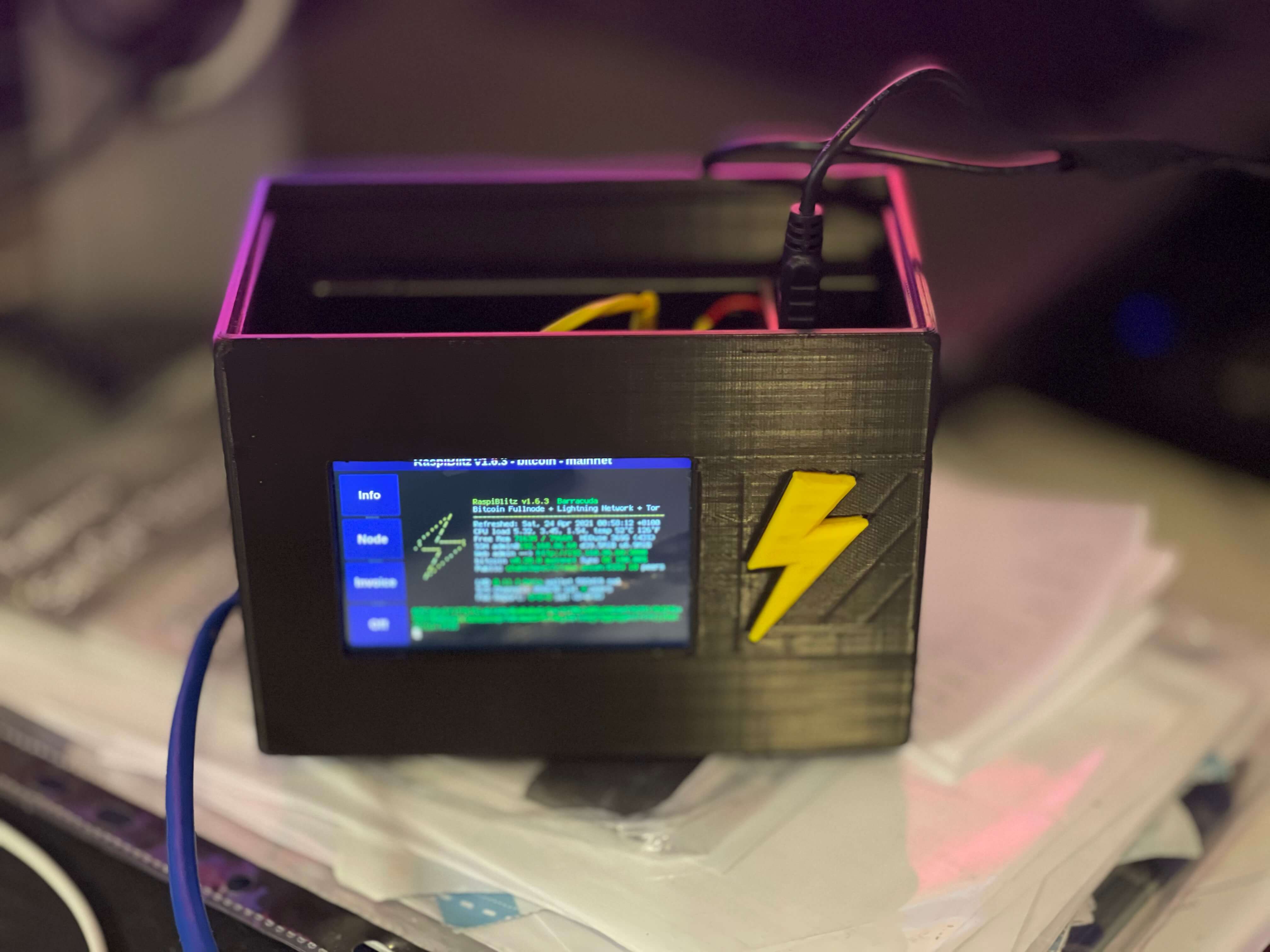
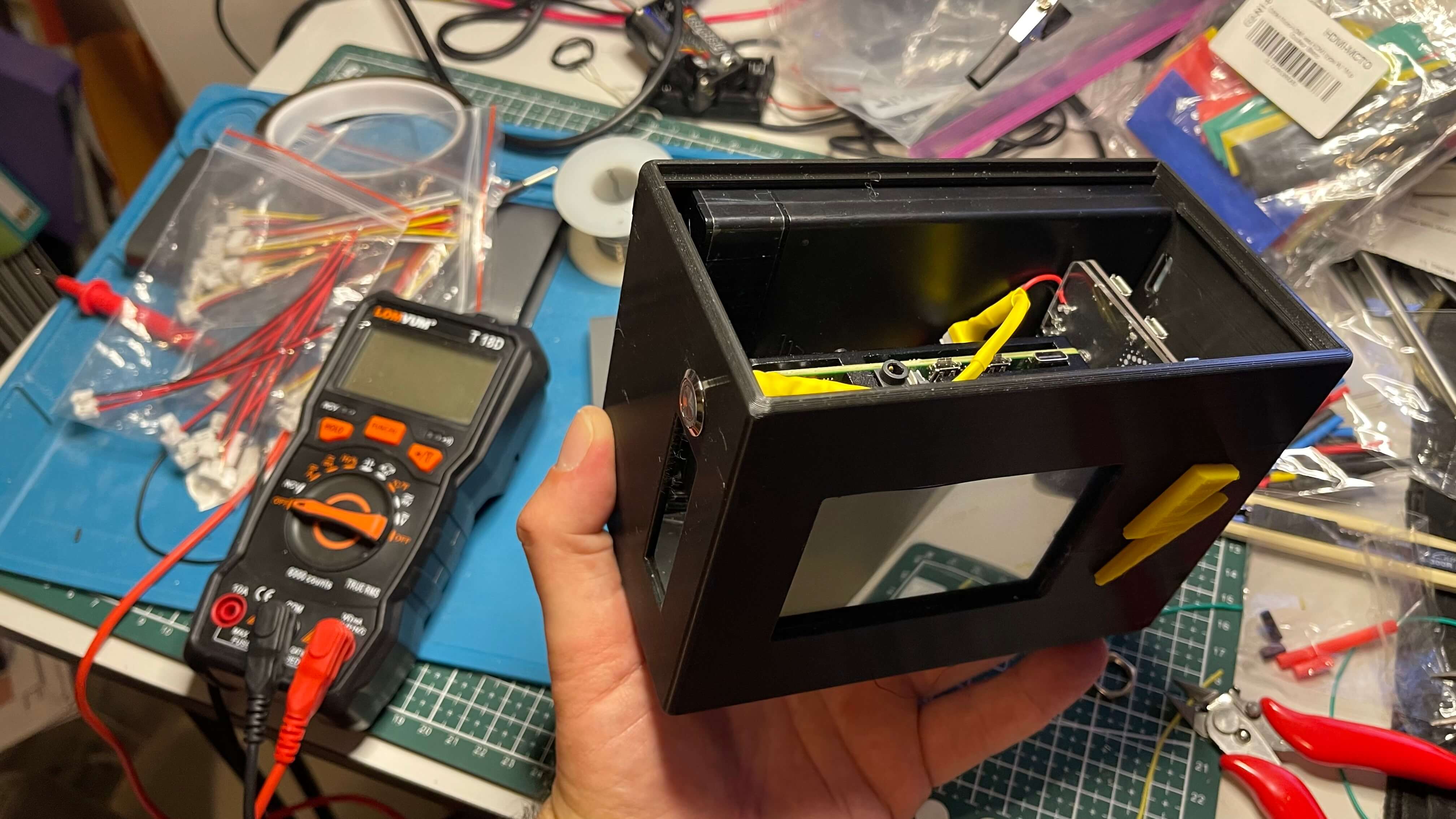
I designed a 3D printed chassis for a standalone RaspiBlitz appliance.
RaspiBlitz is a DIY Bitcoin full node running together with a Lightning node on a Raspberry Pi with a touchscreen display. It was created by developer Christian Rotzoll and is backed by Fulmo, a Berlin-based Bitcoin startup that runs Lightning Network hackathons worldwide.
Running your own Bitcoin node means you don't have to trust anyone else as your source of truth. If you accept Bitcoin payments through someone else's node, that data can be spoofed. "Not your node, not your rules", as the RaspiBlitz docs put it. It's the infrastructure layer of financial self-sovereignty.
The Lightning Network runs on top of the full node as a second layer for fast, low-fee payments. Still experimental, but plenty of people are running it anyway out of enthusiasm and a desire to push the network forward.
Named my node Barracuda, a play on the words Barak (ברק) and Lightning.
There were a few non-obvious gotchas. The initial Bitcoin blockchain sync takes days, not hours. A Lightning channel can only be opened after that sync completes. Finding good peers and covering the on-chain fees for opening channels was more involved than expected. To receive Lightning payments, you also need inbound liquidity, channel capacity on the remote side. You can buy funded channels or use a looping service to rebalance. In total, my node forwarded 335,497 sats, for a 21.6 sat fee.
Update, June 2023: For gaining some hands-on experience with Lightning, I established a few channels and sent transactions between my node and a wallet hosted on BlueWallet's LNDHub. They apparently shut down the service, and users were expected to move funds out by end of May. I didn't get the memo. I filled out a form, but have little hope. Yet another reminder - not your keys, not your coins.
Components
- Raspberry Pi 4 (4GB or 8GB)
- SanDisk SSD PLUS 1TB Internal SSD
- UGREEN 2.5" Hard Drive Enclosure
- MicroSD Card 32GB
- Waveshare 3.5inch RPi LCD
- Raspberry Pi 4 Official PSU (or any 15W USB-C power supply)
- Dual Fan Heatsink Case for Raspberry Pi 4
- UPS Lite 18650 (GitHub)
- USB 3.0 Micro-B Ribbon Flat Cable (S3-W7, USB-A male down, Micro-B up, 0.1m)
- 40 Pin Stacking Female Header Kit for Raspberry Pi, 8/6mm
- 4010 Cooling Fan 40MM
- Micro Mini JST 2.0 PH Connectors, Male & Female, 3 & 4 pin
- 12mm LED Momentary Switches 6V Yellow
- 30 & 24 AWG Flexible Silicone Wire Cables (multiple colors)
Features
- Touchscreen LCD display for monitoring and configuration
- UPS Lite to keep the device powered if power is interrupted, with auto-shutdown if the batteries are about to run out
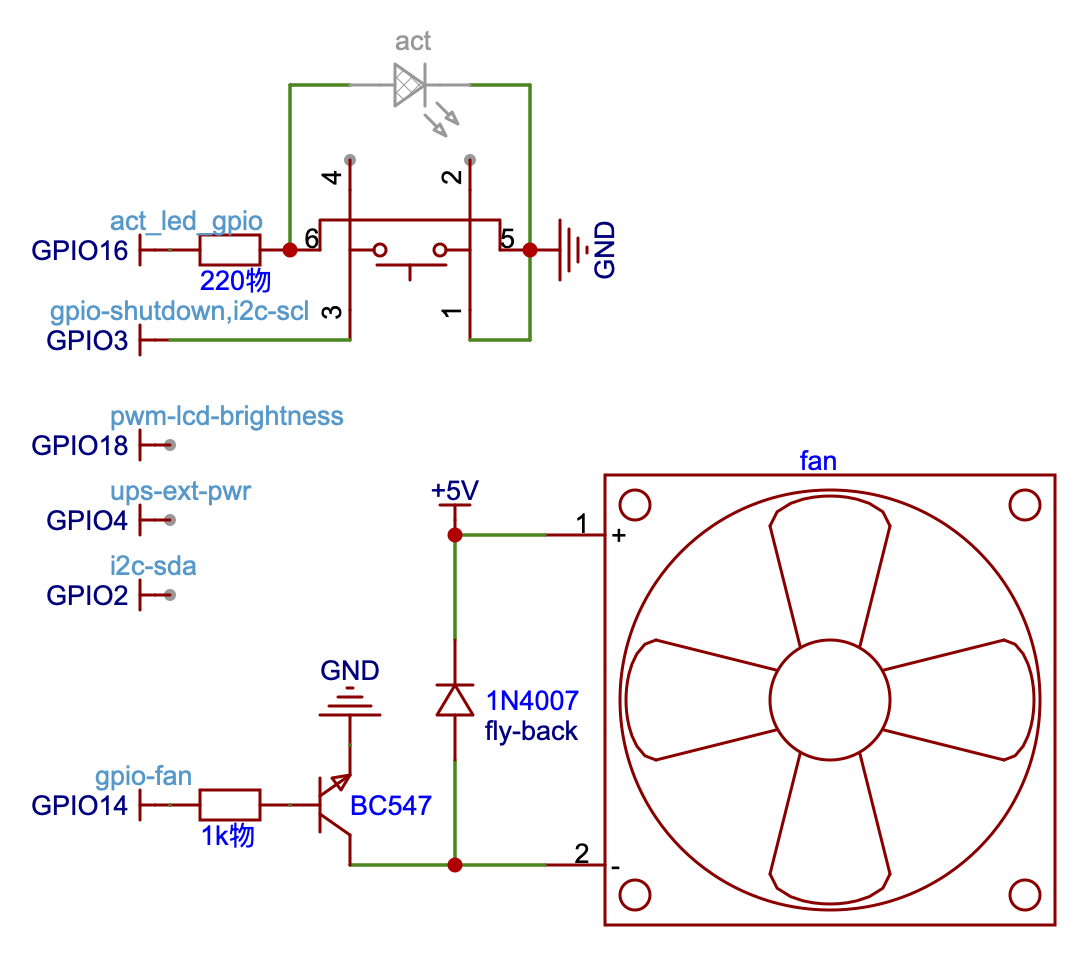
- Power-On / Reset switch with an integrated Activity LED
- Temperature based fan control
3D models and wiring instructions are available in my GitHub repository.